
Free(ish) solutions
Recording device
- Your cell phone, with any recording app that has a spectrogram viewer, such as Song Meter Touch for Android or iPhone.
- Optional: a directional microphone add-on for your phone, for example from Rode.
Audio viewing and editing software
- Raven Lite, from the Cornell Lab of Ornithology
- Raven Workbench, the Cornell Lab’s new free suite that will replace Raven Pro (still a preview release)
- Kaleidoscope Lite
- Audacity (free, but made mainly for musicians)
Paid solutions
Autonomous recording units (ARUs)
- Wildlife Acoustics Song Meter recorders (the Song Meter Mini 2 Li-ion is highly recommended)
- AudioMoth (the lowest-cost option)
- BirdWeather PUC, if you’re really into birds
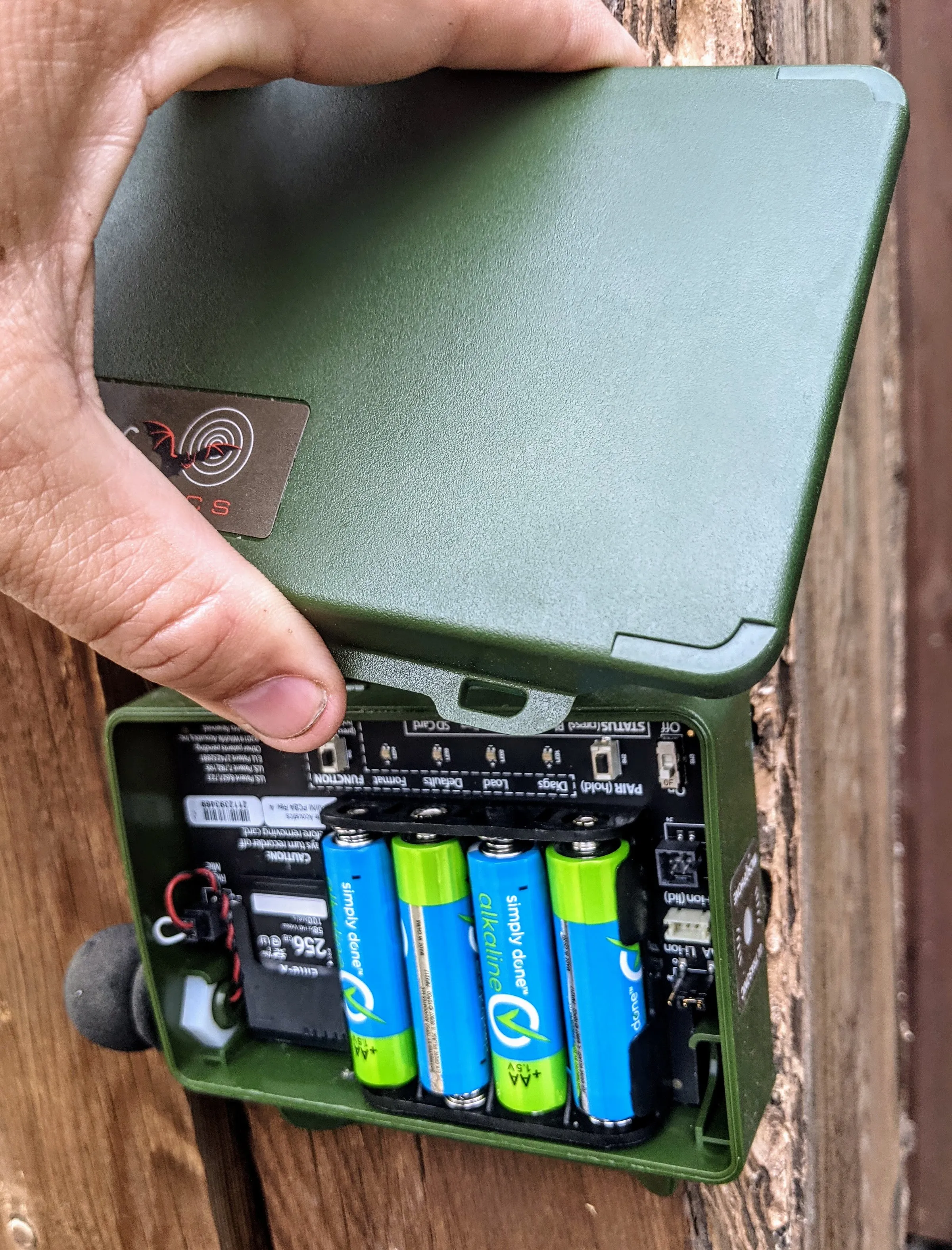
The recorder in the photo above is a Wildlife Acoustics bat and wildlife recorder with an acoustic microphone accessory.
Mobile recording devices
- Zoom H6, with an optional directional mic attachment
Video camera with microphone
- Nikon P-series zoom still and video cameras
- Sennheiser MKE 600 microphone
Outdoor fixed video cameras (many home options are available; here are two I use)
- Reolink (power over Ethernet)
- Google Nest Cam outdoor (Wi-Fi, with limited battery operation)
Handheld microphones (for use with a camera or mobile recorder in the field)
- Sennheiser MKE 600 directional microphone
- Sound Shark parabolic microphone
Audio viewing and editing software
- Kaleidoscope Pro
- Raven Pro (the Cornell Lab plans to replace it with the free Raven Workbench)
- Adobe Audition (lets you watch video and spectrograms at the same time)
Software for finding specific sounds (for example, bird species)
- Chirpity
- BirdNET (requires intermediate computer skills, but also lets you build your own classifier)
- Kaleidoscope Pro (the paid version has more capabilities)
How to embed audio in a web page
Once you have a recording, you can upload it to the Macaulay Library through eBird and then embed its player in any website. Unfortunately, the process supports only bird vocalizations at this time.